How to Choose an Easy AI Service for LinkedIn Profile Optimization
Bhumika Garg | InstaInker Team
InstaInker
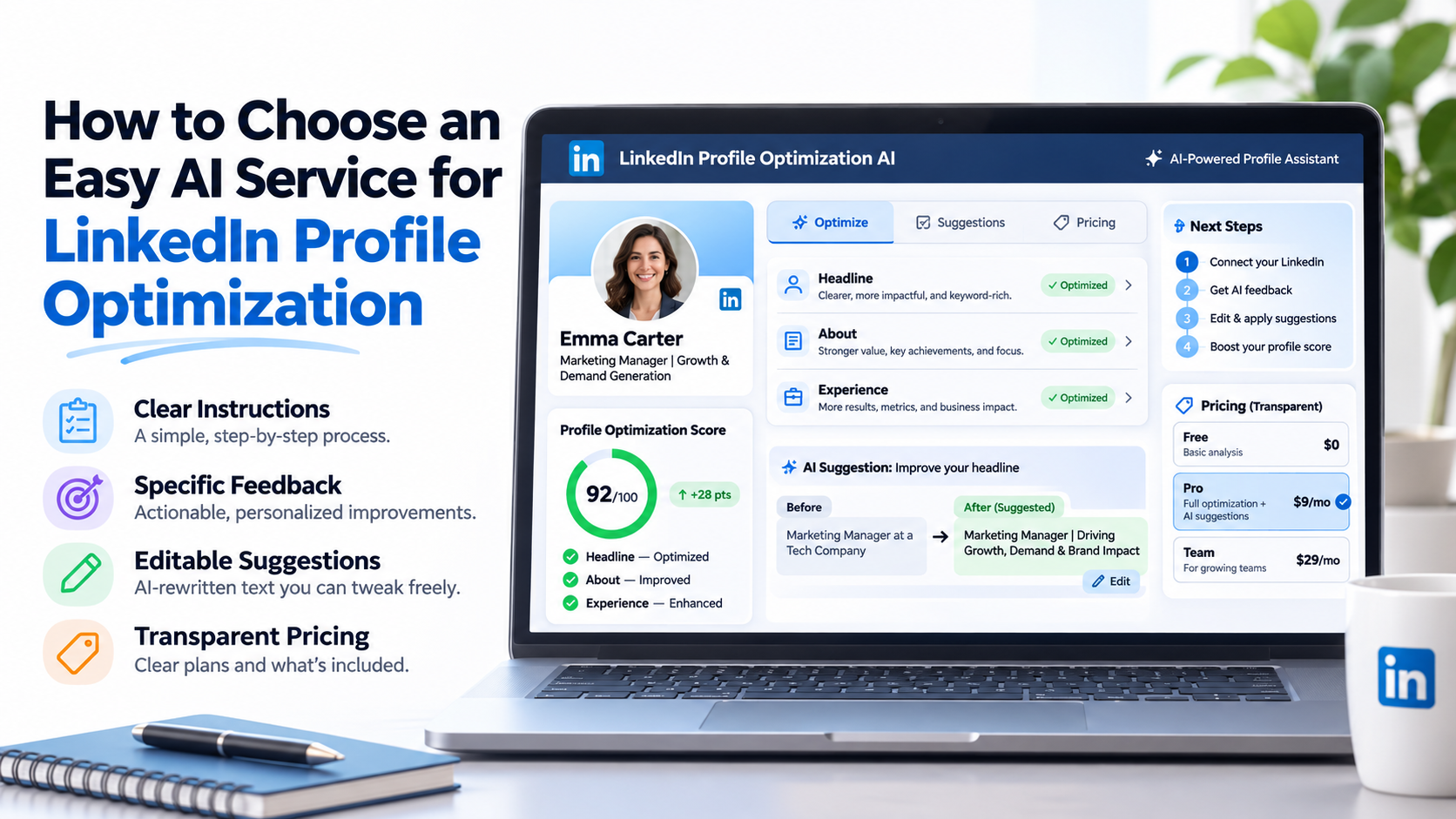
An easy AI service for LinkedIn profile optimization should show you what needs improving and suggest edits you can review before using them. Look for clear instructions, specific feedback, editable suggestions and transparent pricing. The finished profile should accurately explain your work and the opportunities you want.
“Easy” should mean you can improve your profile without spending hours learning a new platform. You should not need coding knowledge, an understanding of how AI models work or a setup that connects several tools. The service should guide you from providing your profile to reviewing suggested edits, saving time and effort even if you have never used an AI tool before.
You may know your work inside out and still struggle to describe it on LinkedIn. A second perspective can help you spot where your headline, About section and experience give conflicting or incomplete impressions.
Here is how to compare services, prepare your information and check whether the suggestions improve your profile.
What Does an AI LinkedIn Profile Optimization Service Do?
An AI profile optimization service reviews the information you provide and suggests ways to improve how you present your work.
Depending on the service, that could include feedback on your headline, About section, experience descriptions and relevant skills. Some also offer profile scores, alternative wording or visual tools such as professional headshots.
The scope matters. A headline generator helps with one part of your profile. A broader review should consider whether your sections support the same professional direction.
For example, a headline describing you as a business consultant creates an expectation. Your About section and experience should help a visitor understand what you consult on, whom you work with and what qualifies you to do that work.
Decide What You Need Before Choosing a Service
Start by finishing this sentence:
“I want my LinkedIn profile to help me ______.”
You might want to attract consulting enquiries, support a career change or make your current expertise clearer to people in your industry.
A career changer may need help explaining how previous experience relates to a new role. A consultant may need to make their services and client work easier to understand. An experienced manager may simply have a profile that still describes a job they left three years ago.
Choose a service that lets you provide that context. Otherwise, you may receive polished suggestions built around the wrong goal.
5 Features to Look for in an AI LinkedIn Profile Service
An easy signup tells you little about the quality of the review. Look for these five things in the service itself.
1. Clear instructions about what to provide
You should know whether the service needs pasted text, a PDF, screenshots or an account connection.
Check what the input includes. A screenshot may show your headline while missing most of your About section. If the service cannot see a section, its feedback cannot reliably account for it.
You should also have a way to explain your goal and add context that your current profile leaves out.
2. Feedback that points to a specific problem
“Improve your About section” leaves you wondering what to change.
“Your About section lists skills but does not explain the kind of projects you handle” gives you something concrete to fix.
Useful feedback should identify the gap and suggest a next step. For example: add a brief description of a recent project, explain your contribution and include an outcome you can verify.
3. Suggestions you can review and edit
Look for a process that lets you examine proposed wording before using it.
You may want to keep your opening line, reject an exaggerated description or combine parts of two suggestions. Easy editing matters because AI will not always understand the boundaries of your role.
If you coordinated a project, a rewrite saying you “led the business transformation” needs correcting.
4. A useful way to compare versions
Seeing your original text beside a suggested revision can help you judge whether anything improved.
Check what became clearer. Did the revision explain your specialization? Did it make your contribution easier to understand? Did it remove a detail that mattered?
A longer version is not automatically more useful. Sometimes the best edit is replacing a vague sentence with one specific example.
5. Clear pricing, access and data requirements
Before paying, check what is included: an analysis, rewritten sections, repeat reviews or additional features.
Also review what information the service collects and whether it requires a LinkedIn connection. Uploading a profile for feedback and granting account access are different processes.
Choose the option that fits the work you want done and the access you are comfortable providing.
AI LinkedIn Profile Optimization: Before-and-After Example
Consider this fictional example.
A marketing manager wants to move into B2B content strategy. Their current headline reads:
“Marketing Manager | Creative Thinker | Passionate About Growth”
They provide these facts to the service:
• They plan content for a B2B software company.
• Their work includes customer interviews, articles and sales materials.
• They want their next role to focus on content strategy.
A vague rewrite might be:
“Visionary Marketing Leader | Transforming Brands Through Innovative Growth Strategies”
The wording changed, but the reader still cannot tell much about the work.
A more useful option would be:
“B2B Marketing Manager | Content Strategy, Customer Research & Sales Content”
That version makes the relevant work visible without claiming a promotion or inventing results.
The same test applies to experience descriptions.
Original:
“Responsible for content creation and marketing activities.”
Clearer revision:
“Planned articles and sales content for a B2B software company, using customer interviews to identify topics and questions for the content calendar.”
The revision explains what the person did and how they approached it, using only the information provided.
When testing any service, ask whether its suggestions make your actual work easier to understand.
What to Prepare Before Using an AI Profile Service
A small amount of preparation can save several rounds of revisions. Gather:
• Your current profile, including the full sections you want reviewed.
• One main professional goal.
• The audience you want to reach.
• Two or three examples of relevant work.
• Verified results, where available.
• A short sample of writing that sounds like you.
If you cannot share client names or confidential figures, describe the work in terms you are allowed to use.
For a career change, add a representative job description so the suggestions can reflect the direction you are considering. Keep a clear distinction between skills you already have and skills you intend to develop.
How Instainker’s LinkedIn Profile Optimizer Works
Upload your profile as a PDF or screenshot, review the AI analysis and choose which suggestions to apply.
Start with the section that needs the most attention. Compare the suggested wording with your original and check whether it explains your work more clearly.
If you only need help with a headline, Instainker’s free Headline Generator is a narrower starting point. A fuller review makes more sense when several sections need to work together.
Explore the LinkedIn Profile Optimizer to review the current offering and access details.
For a section-by-section review you can do yourself, see our LinkedIn profile tips. If the headline is your main sticking point, our guide to writing a good LinkedIn headline includes examples across different professions.
Check These Before Updating Your Profile
Read the proposed profile from top to bottom and ask:
• Is every title, date, qualification and result accurate?
• Does it distinguish work I owned from work I supported?
• Can someone understand the kind of work I want to be known for?
• Does the experience support what the headline promises?
• Would I use this language in a professional conversation?
• Have I kept confidential information out?
Keep a copy of your original profile so you can revisit changes.
A tool’s score can help organize a review, but it is not a LinkedIn ranking or proof that recruiters will respond. Judge the finished profile by its accuracy, clarity and relevance to your goal.
Frequently Asked Questions About AI LinkedIn Profile Optimization
Can AI optimize my LinkedIn profile?
AI can help review profile text, identify missing context and suggest clearer wording. You still need to check facts, supply relevant examples and decide which suggestions represent you properly.
What should I look for in an easy AI service for LinkedIn profile optimization?
Look for clear input instructions, specific feedback, editable suggestions and transparent access details. Test it on one section first if possible. The suggestions should improve understanding without adding claims you did not provide.
Will profile optimization guarantee more recruiter messages or clients?
No. A clearer profile can help visitors assess your experience, but responses also depend on factors such as role fit, demand, your network and your activity. A profile rewrite cannot guarantee an opportunity.
Do I have to use every suggestion?
No. Keep suggestions that improve clarity and reject those that misrepresent your work or sound unlike you. You can also adapt a suggestion rather than accepting it word for word.
Can I use AI to improve my LinkedIn profile for free?
Some tools offer free headline or bio generation, while broader analysis may require payment. Instainker lists a free Headline Generator separately from its Profile Optimizer. Check the current access terms for the feature you need; a free writing tool does not necessarily include a full profile review.
Do I need LinkedIn Premium to use an AI profile optimizer?
Requirements depend on the service. A service that accepts a profile PDF or screenshots can review the supplied information without using LinkedIn’s built-in Premium writing assistant. LinkedIn’s own writing assistant is available only to a select group of Premium subscribers.
Will an AI service update my LinkedIn profile automatically?
Do not assume it will. Some services provide suggestions that you apply manually; connected products may offer other functions. Instainker’s published optimizer workflow says to upload your profile, review the analysis and apply the suggestions. LinkedIn’s profile editing instructions explain how to update individual sections yourself.
Start With One Section
If you are unsure which service to choose, test it with the part of your profile you find hardest to explain.
Give it your current text, your goal and one concrete work example. Then examine the result. Does it help someone understand you? Are the facts intact? Can you see why the change is useful?
Choose a service whose suggestions you understand and can explain in a conversation about your work.
Start Creating Better LinkedIn Content
Use InstaInker to generate engaging posts tailored to your style.
Get Started Free